
What AI Can Do Now: 8 Powerful AI Features Most Businesses Aren’t Using Yet
Most people use AI like a search engine. They ask a question, get an answer, and move on.
That’s useful. But it barely scratches the surface of what AI can do today.
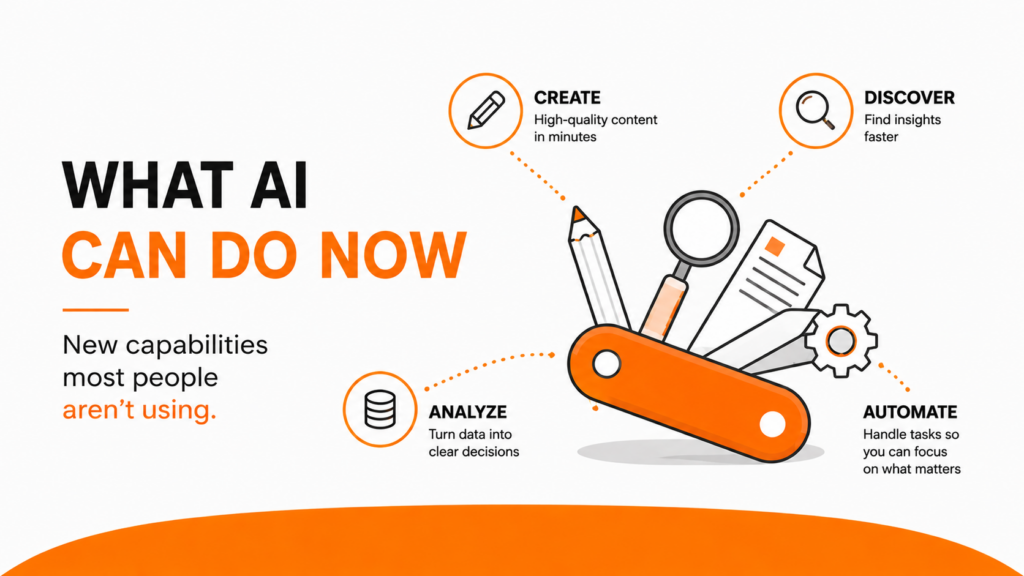
AI has evolved from a simple chatbot into a powerful business tool. It can analyze data, automate workflows, connect to your business systems, and even complete tasks on your behalf.
The businesses seeing the biggest results from AI aren’t necessarily using better tools. They’re using the tools differently.
After training thousands of professionals on AI, I’ve noticed one common theme: the biggest gains come when you stop thinking about prompts and start thinking about systems.
Let’s look at eight AI capabilities that can save time, improve productivity, and help you get more value from your AI investment.
Quick Summary
-
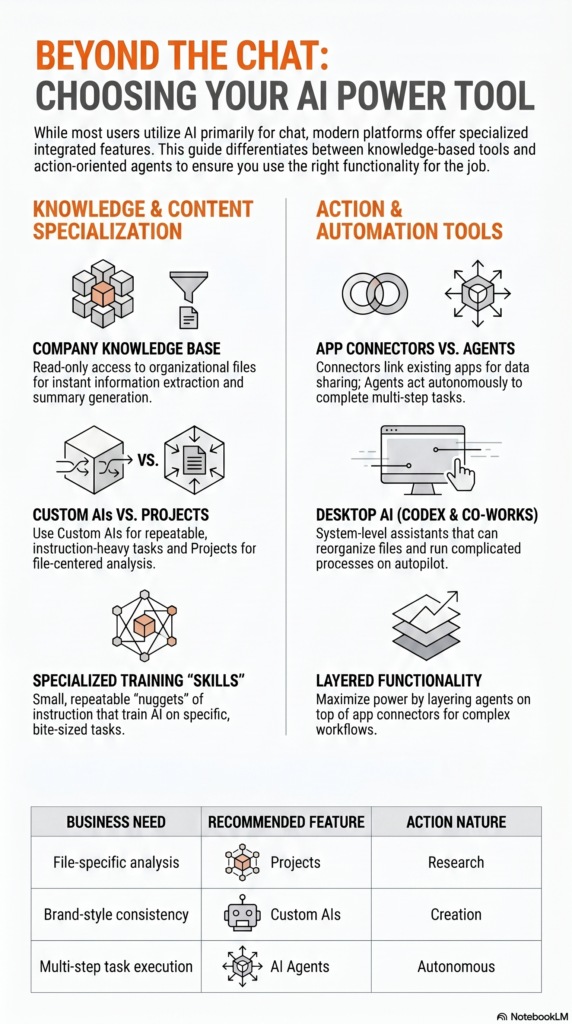
1. Connect AI to Your Company Knowledge
Give AI access to your documents, files, and internal resources so it can provide answers based on your business.
-
2. Connect Your Everyday Business Tools
Link AI to your calendar, CRM, meeting software, and other applications to streamline work.
-
3. Use AI Agents to Complete Tasks Online
Allow AI to browse websites, compare options, conduct research, and complete tasks for you.
-
4. Automate Recurring Work
Turn repetitive tasks into automated workflows that run without your involvement.
-
5. Create Dedicated AI Projects
Build focused workspaces around specific datasets, reports, or initiatives.
-
6. Build Custom AI Assistants
Create repeatable systems that follow your processes and brand guidelines every time.
-
7. Develop Portable AI Skills
Package common workflows into reusable processes you can apply across projects.
-
8. Deploy Desktop AI Agents
Allow AI to work directly on your computer and complete multi-step workflows.
1. Connect AI to Your Company Knowledge
The fastest way to improve AI results is to give it context.
Most AI tools now allow you to securely connect internal documents, cloud drives, knowledge bases, and company resources.
Instead of starting from scratch, AI can use your existing information to generate more accurate and relevant outputs.
Example
Imagine you’re preparing a proposal for a prospect.
Instead of searching through folders and copying content from old proposals, you can ask AI to:
- Review previous proposals
- Identify relevant case studies
- Pull approved messaging
- Create a first draft
What used to take hours can often be completed in minutes.
One team I worked with used this approach to dramatically reduce proposal development time while improving consistency across their sales team.
Remember: Most enterprise AI systems only receive read-only access to your files. They can access information but cannot modify, move, or delete documents.
2. Connect Your Everyday Business Tools
Many professionals don’t realize AI can connect directly to the software they already use.
This includes:
- Calendars
- CRM systems
- Meeting platforms
- Email tools
- Project management systems
Once connected, AI can work across multiple systems simultaneously.
Real-World Application
After a sales presentation, you could ask AI to:
- Review the meeting transcript
- Identify key objections
- Summarize next steps
- Create a follow-up email draft
- Recommend improvements for future presentations
Instead of spending 30 minutes documenting notes, AI can complete much of the work for you.
3. Use AI Agents to Complete Tasks Online
This is where AI starts feeling less like software and more like an assistant.
Traditional AI answers questions.
Agent-based AI completes tasks.
An AI agent can:
- Visit websites
- Compare vendors
- Research products
- Evaluate options
- Complete forms
Example
Let’s say you need 500 branded stickers for an upcoming event.
Instead of opening 15 browser tabs and comparing suppliers yourself, you can tell the AI:
- Quantity required
- Size specifications
- Delivery deadline
- Budget requirements
The AI researches options and returns recommendations.
It takes longer than a standard prompt because it is actually doing the work.
But it can save significant time.
4. Automate Recurring Work
Many professionals repeatedly type the same prompts.
If you’re doing something weekly, monthly, or daily, automation is often the better solution.
Think about the tasks you repeat over and over.
Example
You could schedule AI to generate a Monday morning briefing that includes:
- Your calendar
- Priority meetings
- Outstanding action items
- Upcoming deadlines
Instead of manually gathering this information, it arrives automatically.
Small automations often create some of the biggest productivity gains because they eliminate ongoing work.
5. Create Dedicated AI Projects
Sometimes you want AI focused on a specific set of information.
That’s where Projects become valuable.
A Project acts as a dedicated workspace where AI works exclusively from selected files and resources.
Example
A marketing team might upload:
- Three years of campaign reports
- Customer research
- Website analytics
- Sales performance data
Then they can ask questions like:
- Which campaigns generated the most leads?
- What trends are emerging?
- Which channels performed best?
Because AI only uses project-specific information, answers are more focused and relevant.
6. Build Custom AI Assistants
One of the biggest reasons people get inconsistent AI results is inconsistent prompting.
Custom AI assistants solve this problem.
You can create AI systems that:
- Follow your brand guidelines
- Use your preferred tone
- Apply your processes
- Ask required questions
- Follow approval workflows
Case Study
One company created a custom content assistant that refuses to write marketing copy until the user answers:
- Who is the audience?
- What is the objective?
- What action should the audience take?
This simple requirement dramatically improved content quality because strategy came before execution.
It’s similar to a principle we teach in digital marketing: start with the goal before choosing the tactic.
7. Develop Portable AI Skills
Think of Skills as lightweight operating procedures.
Instead of creating one massive prompt, you break workflows into smaller reusable components.
Example Workflow
- Skill #1: Create a blog post draft
- Skill #2: Edit for brand voice
- Skill #3: Add SEO optimization
- Skill #4: Format in WordPress HTML
This approach creates more consistent results and makes processes easier to manage.
It also allows teams to share best practices more efficiently.
8. Deploy Desktop AI Agents
The newest evolution of AI is desktop agents.
These systems operate directly on your computer rather than inside a browser window.
Because they have access to local files and applications, they can perform more advanced tasks.
Potential Uses
- Organize files
- Tag documents
- Update spreadsheets
- Manage inbox workflows
- Execute multi-step business processes
While these tools are still evolving, they represent a major shift toward truly agentic AI.
Instead of generating content, they actively complete work.
The Bigger Opportunity: Build Systems, Not Prompts
The biggest mistake I see organizations make with AI is focusing exclusively on prompts.
Prompts matter.
But systems matter more.
When you combine:
- Company knowledge
- Connected applications
- Automations
- Projects
- Custom AI assistants
- AI agents
You create workflows that consistently save time and improve results.
That’s where the real return on investment comes from.
Don’t try to implement all eight capabilities at once.
Pick one.
Start small.
Build a process around it.
Then expand from there.
Next Steps
- Review your current AI usage.
- Identify one repetitive task you perform every week.
- Explore whether AI can automate, simplify, or improve it.
- Create a repeatable process instead of relying on one-off prompts.
- Measure the time saved and build from there.
The businesses that win with AI won’t necessarily have access to better technology.
They’ll simply build better systems.