
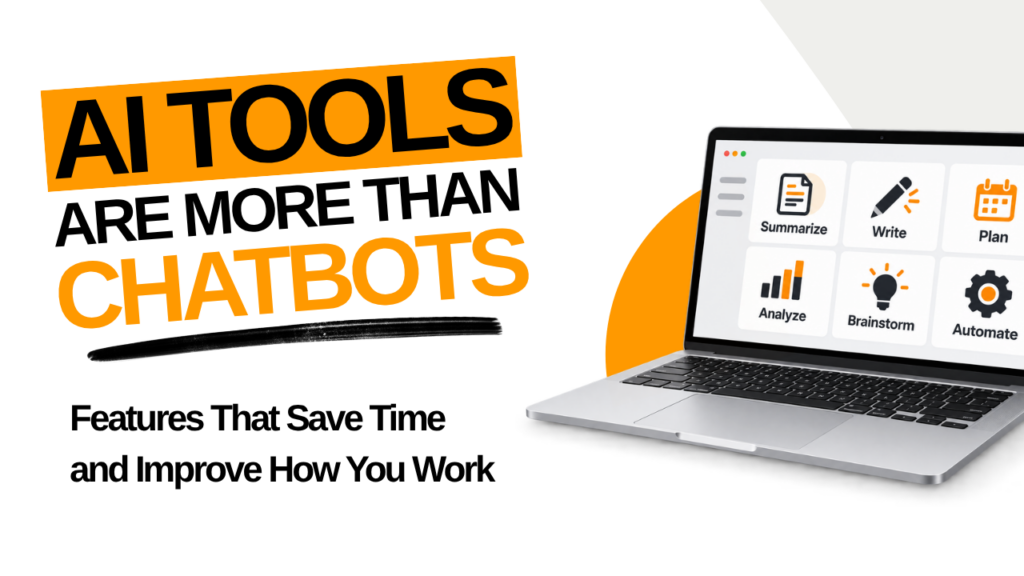
Most people still use AI like a smarter search box. They open ChatGPT, Claude, Gemini, or Copilot, ask a question, and get an answer.
That is useful. AI can already save significant time with writing, research, brainstorming, analysis, and summarizing.
Today’s AI tools can do much more.
They can remember information about your work. They can connect with other tools and access outside information. They can follow established processes, run scheduled tasks, and complete multi-step assignments.
Understanding these features changes what you can accomplish with AI.
Here’s what you’ll learn:
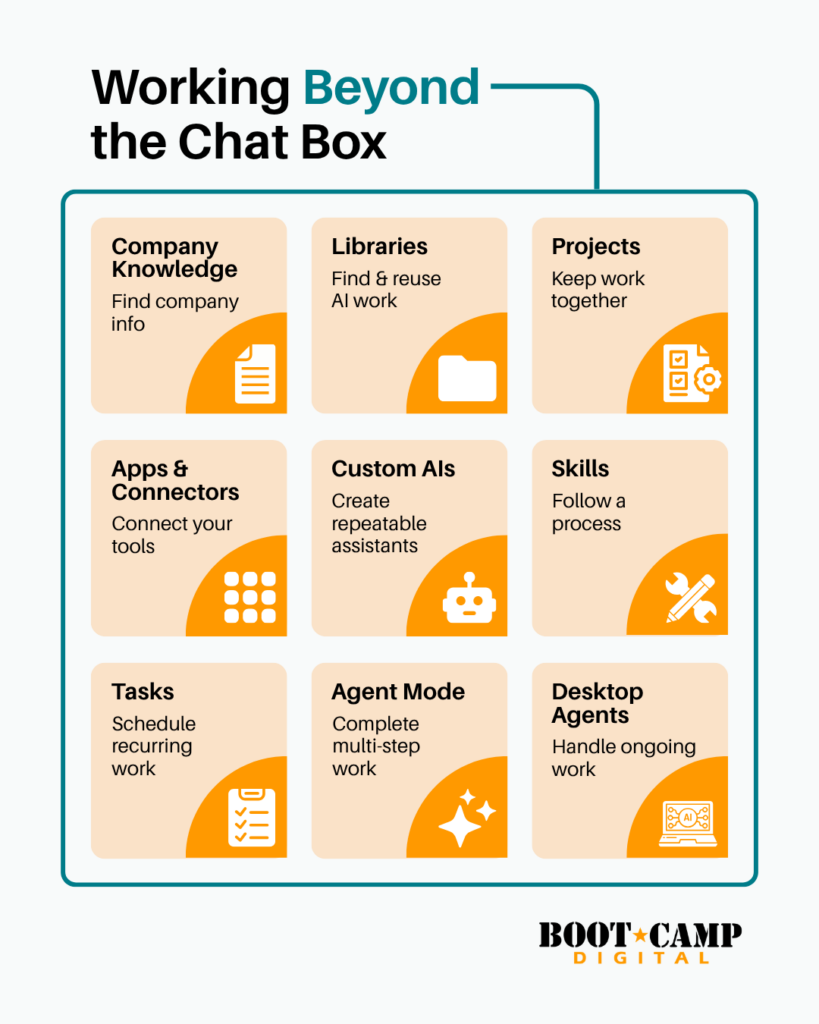
- Company Knowledge: Give AI access to approved internal information.
- Libraries: Find and reuse work you already created.
- Projects: Keep related files, instructions, and conversations together.
- Apps and Connectors: Connect AI with outside tools and information.
- Custom AIs: Create repeatable assistants for specific purposes.
- Skills: Give AI procedures for specialized tasks.
- Tasks: Schedule recurring AI work.
- Agent Mode: Give AI a multi-step assignment to complete.
- Agents and Desktop Agents: Delegate more ongoing work.
Most People Are Still Using Only the Chat Window
I teach AI to marketers, business professionals, and teams. Most people start in roughly the same place. They focus on prompting.
They want to know what to ask AI. They want better prompts and better answers. That is a logical starting point.
After using AI regularly, different frustrations emerge. You find yourself uploading the same files again. You explain your audience every time you start a conversation. You search through old chats looking for something you created last month.
Then there are all the little manual steps surrounding AI. You find an email and paste it into ChatGPT. You download a report before asking AI to analyze it. You remember every Friday that you need another weekly summary.
These are workflow problems.
The newer features inside AI tools can remove many of these repetitive steps. That is where I see an exciting opportunity for businesses.
The question becomes bigger than, “What can I ask AI?”
You can start asking, “Which parts of my work can AI help me complete?”
1. Company Knowledge Helps People Find Internal Information Faster
Company Knowledge allows AI to work with approved information from your organization.
Depending on the platform, this could include:
- Company drives
- Internal documentation
- Policies
- Wikis
- Support tickets
- Other approved internal sources
Think about how much time people spend searching for information.
An employee needs the travel policy. They search the intranet and find an outdated document. Then they search the shared drive and find two more versions.
Eventually, they message a coworker.
This happens all day inside organizations. Salespeople search for product information. New employees look for procedures. Marketers dig through folders for approved messaging.
Company Knowledge can make this information easier to access.
Employees can ask questions using normal language. The AI can retrieve relevant information from connected company sources. It can then use that information when answering.
This can be useful for onboarding, HR, sales, marketing, support, and operations.
BIG IDEA: Think about how much time your organization spends finding information.
AI doesn’t always need to create something new. Sometimes the value comes from finding what you already have.
2. Libraries Help You Reuse Your AI Work
Here is a problem I didn’t anticipate when I started using AI more frequently.
I create something useful. Then I can’t find it.
Maybe it was an image. Maybe it was a document, research summary, or concept. I remember creating exactly what I need, but I don’t remember where.
Sometimes finding it takes longer than creating it again.
Libraries help solve this problem. They give you a place to browse and search assets created with AI.
For marketers, a Library could contain campaign images, documents, visual concepts, research, or other generated assets.
This sounds like a small feature. It becomes increasingly valuable as your AI use grows.
If you use AI once a month, organization probably isn’t a concern. If you use it every day, you quickly accumulate valuable work.
PRO TIP: Treat strong AI outputs as assets.
Before creating something again, see whether you can find, reuse, or improve previous work.
3. Projects Keep Your Work and Context Together
Projects solve another frustration I hear frequently: “Why do I have to keep telling AI the same things?”
A Project creates a workspace for related chats, files, and instructions. That information can remain available across the work inside the Project.
Imagine you manage marketing for several clients.
One client has a specific audience and brand voice. They have unique products, competitors, goals, and marketing priorities. You probably have documents explaining all of these things.
Without a Project, you may repeatedly provide that background.
With a Project, you can keep relevant context together.
Projects could be organized around:
- A major client
- An annual marketing plan
- A product launch
- Competitive research
- An ongoing content program
- A large strategic initiative
I especially like Projects for work that continues over time.
A product launch isn’t one prompt. You may conduct research, create messaging, build content, analyze results, and make changes over several months.
Keeping that work together makes AI easier to use.
ACTION ITEM
Look at the work you return to every week.
Where are you repeatedly providing the same files, background, or instructions? Consider creating a Project around that work.
4. Apps and Connectors Bring Your Other Tools Into AI
Most of your work doesn’t live inside an AI chat.
It lives in your email. Your calendar. Your shared drives. Your project management system. Your documents and business applications.
Apps and Connectors allow AI to connect with outside tools and information sources.
Consider something as simple as preparing for a client meeting.
You might:
- Check your calendar for the meeting details.
- Search email for recent conversations.
- Find the proposal in a shared drive.
- Review notes from the previous meeting.
- Give everything to AI for meeting preparation.
You are doing a lot of information gathering before AI can even help.
Connections can reduce some of that manual work. With appropriate access, AI can retrieve information directly from connected systems. Some connections can also support actions inside those tools.
This opens up many practical possibilities.
A salesperson could prepare for a customer conversation using connected information. A manager could summarize information spread across several documents. A marketer could work with information stored outside the AI platform.
The exact capabilities depend on the AI tool and connection.
WATCH OUT
Connecting AI to business systems deserves careful planning.
Review permissions, privacy, security, and access before connecting sensitive information. Give AI access based on what someone actually needs for their job.
5. Custom AIs Make Repetitive AI Work More Consistent
Think about a prompt you use regularly.
How much setup does it require?
You may explain your company, audience, tone, goals, output format, and expectations. Then you provide examples so the AI understands what “good” looks like.
Doing that once makes sense.
Doing it every week doesn’t.
A Custom AI allows you to configure an AI for a specific purpose. You can establish instructions and include reference information. Then that configuration can be saved and reused.
For example, you might create a Custom AI for:
- Writing in an established brand voice
- Coaching sales representatives
- Reviewing marketing content
- Supporting employee training
- Answering questions from approved materials
This becomes especially useful across teams.
Imagine ten marketers using AI to review content. Each person has their own prompts and standards. Naturally, the results will vary.
A Custom AI gives everyone a more consistent starting point.
You can also improve the configuration over time. When results miss the mark, update the instructions. When you find a great example, add it.
The tool gets more useful because your setup gets better.
6. Skills Give AI a Procedure to Follow
Skills are different from Custom AIs.
A Custom AI establishes a reusable assistant for a particular purpose. A Skill provides a procedure for completing specialized work.
Think about the processes your organization has already documented.
Maybe your team has a checklist for reviewing campaigns. Your organization may have standards for reports. Your marketing department may use a specific planning framework.
These procedures exist because consistency matters.
A Skill can package procedures, references, and instructions for AI. The AI can load the Skill when that type of work appears.
This is interesting because most organizations already have valuable processes.
They have templates, checklists, training documents, best practices, and standard operating procedures. The problem is getting people to use them consistently.
AI Skills create another way to put those processes into practice.
BIG IDEA
Your documented processes may become valuable AI resources.
Look at your best checklists, frameworks, and procedures. Consider where AI could follow those instructions during actual work.
7. Tasks Put Predictable AI Work on a Schedule
Some work doesn’t need sophisticated automation.
It simply needs to happen every Tuesday.
Tasks allow you to schedule prompts that run automatically. You define what should happen and when it should happen.
For example:
- “Every Monday morning, prepare my weekly briefing.”
- “Every Friday, remind me to review campaign performance.”
- “On the first day of each month, create my monthly summary.”
Tasks are useful because people spend mental energy remembering routine work.
I have recurring reminders all over my calendar. Many professionals do. They aren’t difficult tasks, but someone still needs to remember them.
AI Tasks can take some of that initiation off your plate.
TRY THIS
Open your calendar and look at your recurring reminders.
Which ones involve finding information, creating a summary, or reminding you about something? Choose one and see whether an AI Task could help.
8. Agent Mode Can Take On a Complete Assignment
This is where AI starts getting especially interesting.
Agent Mode allows AI to complete a multi-step task after you initiate it. The AI can plan the steps, use available tools, and work toward the requested result.
Research is a good example.
A normal AI research process might involve many interactions. You ask AI to research something. Then you ask it to investigate another area.
Next, you request a comparison. You ask follow-up questions. Finally, you ask it to organize everything into a useful output.
You are managing each stage.
With Agent Mode, you can give AI a more complete assignment. It can work through more of those steps during one session.
This changes what you need to be good at.
Clear outcomes become extremely important.
What do you actually want completed? What sources should the AI use? What restrictions matter? What does the final deliverable need to include?
You need to think more like someone delegating an assignment.
That is a valuable skill even without AI.
9. Agents and Desktop Agents Can Handle More Ongoing Work
Agents take autonomy further.
An Agent can serve as a more persistent worker. It may pursue ongoing goals and use connected tools across many steps.
Desktop Agents bring these capabilities into your local computer environment. They can potentially interact with files, applications, screens, keyboards, and cursors.
Think about the repetitive work that happens across applications.
You download a spreadsheet.
You rename it and move it into a folder.
You take information from that spreadsheet and enter it elsewhere.
Then you update another file and upload the final version.
No individual step is particularly challenging. The entire process still consumes time.
Desktop Agents create possibilities for automating more cross-application work. This is especially interesting for systems without direct integrations.
There is also more risk as AI gains more control.
An AI drafting a paragraph has limited consequences. An AI clicking buttons inside business software can create real actions.
Organizations should increase oversight as autonomy increases.
A Simple Way to Think About AI Features
You don’t need to memorize every feature name.
The names will change anyway. Different platforms already use different terms for similar capabilities.
What matters is understanding what these features allow you to do.
I think about them in five categories:
Ask
Use AI directly for writing, brainstorming, research, analysis, and questions.
Configure
Set up AI with persistent context and instructions.
Connect
Give AI appropriate access to outside information and tools.
Systematize
Turn repeatable work into Projects, Custom AIs, Skills, or Tasks.
Delegate
Allow AI to complete appropriate multi-step or ongoing work.
This gives you a much better way to evaluate new AI features.
Instead of memorizing every product announcement, ask what the feature changes. Does it help AI remember, connect, repeat, or complete something?
Then decide whether that capability matters to your work.
Stop Looking for AI Use Cases and Start Looking at Your Work
When I work with teams on new technology, there is always pressure to start with features.
“What should we do with AI?”
“What are other companies doing?”
“What new AI tools should we try?”
Those questions can generate ideas. Your existing work is usually a better place to start.
Spend a week noticing friction.
Where do you search for information?
What instructions do you repeat?
What files do you repeatedly upload?
Which tasks happen on a predictable schedule?
Where do you manually move information between systems?
Which assignments require several predictable steps?
Those are potential AI opportunities.
You may discover that you don’t need another prompt. You need a Project that remembers your context.
You may not need another AI writing tool. A Connector could eliminate ten minutes of information gathering before every meeting.
Your best opportunity could be incredibly boring. Maybe it is a Task that automatically prepares something every Monday morning.
Boring is fine.
If it saves you 20 minutes every week, that matters.
ACTION ITEM: Choose One Friction Point
Don’t try every feature in this article tomorrow.
Choose one annoying, repetitive part of your work.
Write down what happens today. Count the steps. Estimate how much time you spend doing it each week.
Then look for an AI feature that could remove some steps.
Try it for a few weeks. Pay attention to the time saved and the quality produced. Keep it if it makes the work better.
Then find the next opportunity.
This is where I see AI becoming much more valuable for professionals. You don’t need to become obsessed with every new feature.
You need to understand what the tools can do.
Then you can recognize the moments when a Project, Connector, Task, Skill, or Agent makes sense.
AI chat gave millions of people an easy introduction to generative AI. The features surrounding that chat now give us many more ways to work.
And that is where things get really interesting.
Frequently Asked Questions About AI Tool Features
What AI features can save businesses the most time?
AI features that reduce repetitive work often provide the clearest time savings. Projects can reduce repeated setup and context sharing. Company Knowledge can make internal information easier to find. Tasks can automate scheduled work, while Agents can handle more complex workflows.
What is the difference between AI Projects, Custom AIs, Skills, and Tasks?
Projects organize related files, conversations, and instructions for ongoing work. Custom AIs create reusable assistants configured for specific purposes. Skills give AI procedures for specialized tasks. Tasks run defined prompts automatically based on a schedule.
How can businesses use AI beyond ChatGPT prompts and chatbots?
Businesses can use AI to access company knowledge, connect with other tools, and organize ongoing work. AI can also follow repeatable procedures and run scheduled tasks. Agent features can complete multi-step assignments and support more automated workflows.
Professionals who want to develop these skills can explore Boot Camp Digital’s AI Boot Camp training programs.